Sales Team
Manages leads and customers.
From B2B and B2C lead management to HRMS, WhatsApp and email integration, follow-ups, meetings, catalog and visitor management, everything your teams need in one connected platform.
Modern businesses need more than a basic CRM to manage their customers.
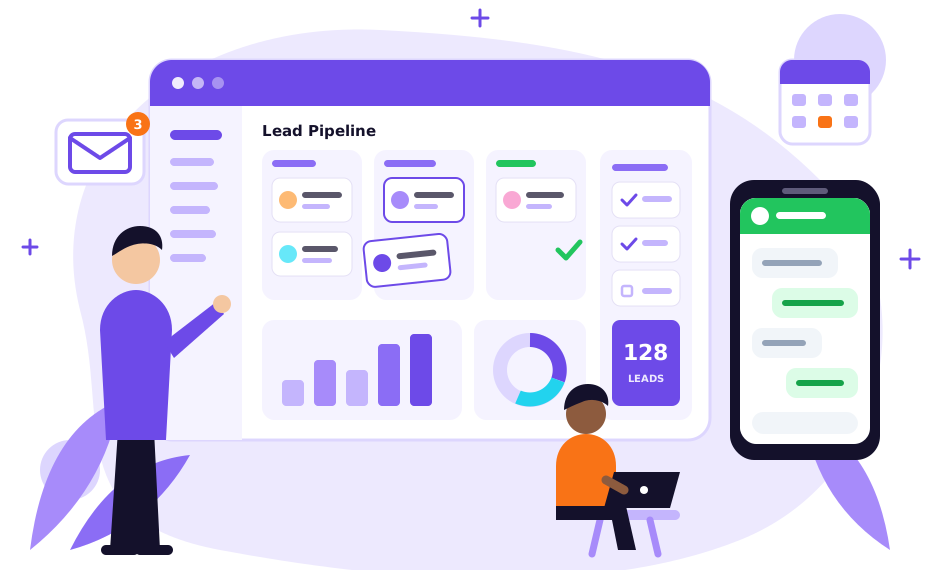
Sales teams need lead management and follow-ups, managers need meetings and task management, employees need HRMS, support teams need communication tools, and management needs a centralized view of business operations.
SoftFYR Technologies CRM & Business Management Software brings these essential functions together in one centralized platform, from B2B and B2C Lead Management to HRMS, Catalog Management, WhatsApp Integration, Email Integration, Follow-Ups, Meetings, Visitor Management, To-Do, Notes, Chat Support, Workstation, and Customer Profiles.
Instead of using separate applications for CRM, HR, communication, task management, and customer support, businesses can manage their operations through one connected platform. Whether you are a startup, small business, growing company, or enterprise, it helps your teams organize daily work, manage customer relationships, and improve operational visibility.
A modern organization operates across multiple departments. When every department uses a different tool, information can become fragmented. Our CRM & Business Management Software brings these workflows together.
Manages leads and customers.
Manages employees and attendance.
Conduct meetings and assign tasks.
Communicate with customers.
Needs business visibility.
Everything works within a centralized business management environment.
The CRM module is designed to help businesses manage their complete customer lifecycle. From capturing a new lead to following up, scheduling meetings, converting prospects into customers, and maintaining customer relationships, your sales team can manage the process from one platform.
Instead of keeping customer information in spreadsheets, notebooks, or different applications, every lead and customer can have a centralized digital profile.
Different businesses generate different types of leads. Some organizations sell directly to individual customers, while others work with companies, dealers, distributors, agencies, or corporate clients. The platform supports both.
Manage leads generated from:
Manage individual customer leads generated through:
By keeping B2B and B2C leads organized, sales teams can manage different customer types according to their business requirements.
Every lead is more than just a name and phone number. The CRM provides a dedicated Lead Profile where your team can maintain important information about a prospect.
This gives your sales team a centralized view of the prospect before taking the next action.
Managing a large number of leads becomes difficult without a structured sales pipeline. The CRM allows businesses to organize leads according to their current stage.
Your sales team can identify where every lead currently stands and what action needs to happen next, which helps reduce the chances of leads being forgotten.
A lead without follow-up can easily become a missed opportunity. Users can maintain follow-up information and track the next action required for a lead or customer.
Follow-ups can be connected with lead profiles, allowing sales teams to understand previous interactions before contacting the customer again.
Business growth often depends on effective meetings. The CRM includes Meeting Management to help teams organize and track meetings with prospects, customers, employees, and business partners.
This helps turn meetings into trackable business activities instead of isolated calendar entries.
The Workstation provides employees with a centralized area for managing their daily activities. Instead of switching between multiple applications, employees can access important work-related information from one place.
This helps employees understand what needs to be completed and organize their daily workflow.
Every employee has tasks that need to be completed, and important information can come from a phone call, meeting, customer conversation, or internal discussion.
Create, organize, and track tasks instead of relying on personal notes or memory.
Record important information and keep it connected with business activities, creating a useful trail for future reference.
Bring WhatsApp, email, and chat closer to your CRM workflow, so customer conversations and CRM information stay connected.
Depending on the configured integration, teams can communicate with leads and customers while keeping relevant information within the CRM.
Manage business communication alongside customer and lead information for better visibility.
Manage customer communication more efficiently in a centralized support environment.
Businesses need accurate information about their products and services. The Catalog Management module allows businesses to create and manage their product or service catalog.
A centralized catalog can help sales teams access relevant product or service information when communicating with customers.
Converting a lead into a customer is only the beginning of the relationship. Customer profiles can contain relevant information about interactions, communication, meetings, follow-ups, and business activities.
Your team can manage customer interactions, follow-ups, and relationships from a single, centralized CRM environment.
Businesses regularly receive customers, clients, vendors, candidates, partners, and other visitors. The Visitor Management module helps organizations maintain structured visitor information.
This brings visitor records into the broader business management ecosystem.
The platform does not stop at CRM. It also includes HRMS functionality, allowing organizations to manage employees and HR operations alongside customer and sales activities, so business owners and administrators can manage customers + employees from one centralized platform.
The HRMS provides employee management functionality for maintaining employee records and organizational information.
This creates a centralized employee database for the organization.
Organizations can create and manage departments and designations according to their structure, then organize employees accordingly.
Track employee attendance and configure shifts for organizations with different working hours. Attendance information can also support leave and payroll workflows.
Depending on the configured attendance workflow, businesses can manage:
Assign employees to appropriate shifts according to their work schedules.
Administrators can create leave types and manage leave quotas according to company policies, keeping leave administration connected with broader HR operations.
Payroll works alongside employee records, attendance, and leave information to create a connected HR process, reducing the need for separate HR and payroll systems.
A complete CRM and HRMS contains sensitive business information. Not every employee should have access to every module, so administrators can control user access.
Can access assigned leads, customers, follow-ups, and meetings.
Can access employees, attendance, leave, and HR-related information.
Can access relevant financial or billing information.
Can manage broader system settings and permissions.
This creates a controlled business environment.
One of the key benefits of an integrated business platform is the ability to connect different departments. All these workflows can exist within one centralized system.
Manage customers.
Manage employees.
Manage meetings and tasks.
Communicate with customers.
Monitor business operations.
Manage leads, customers, follow-ups, meetings, and sales activities from one platform.
Manage employees, attendance, leave, shifts, and payroll alongside CRM operations.
Manage both business clients and individual customers.
Connect important communication channels with your business workflow.
Give employees a centralized workspace for their daily activities.
Manage products and services in one centralized catalog.
Organize customer support and communication.
Maintain structured visitor records.
Organize daily tasks, reminders, and important business information.
Control access to business information according to employee responsibilities.
This platform is designed for businesses that want to move away from fragmented tools and build a centralized digital business environment.
Instead of using one application for CRM, another for HR, another for attendance, another for tasks, and another for communication, organizations can manage these operations through a unified platform, so information can move between different business functions.
The platform can be used by:
Any organization that needs to manage customers, leads, employees, and daily business operations can use this platform as a centralized business management solution.
Your CRM should not only tell you who your customer is. It should help your team understand:
A complete business management platform connects these answers together.
Understand your sales, customer management, HR, communication, task, and operational requirements.
Identify the modules required for your organization, including CRM, HRMS, communication, tasks, catalog, and visitor management.
Configure the platform according to your organizational structure and workflows.
Create users, departments, designations, roles, and permissions according to responsibilities.
Organize leads, customers, employees, products, services, and other relevant business information.
Review CRM, HRMS, communication, task, and business workflows.
Deploy the platform and help your teams understand their respective workflows.
Support the system as your business grows and operational requirements evolve.
Fragmented Business Tools
Solution:Bring CRM, HRMS, communication, tasks, and business operations into one platform.
Lost Leads
Solution:Organize lead profiles, pipeline stages, follow-ups, meetings, and sales activities.
Missed Follow-Ups
Solution:Maintain structured follow-up records and next actions.
Scattered Customer Information
Solution:Maintain centralized customer profiles and communication history.
Disconnected Communication
Solution:Bring WhatsApp, email, chat, and CRM activities closer together.
Unorganized Daily Tasks
Solution:Use Workstation, To-Do, and Notes to organize employee activities.
Manual HR Processes
Solution:Manage employees, departments, attendance, leave, shifts, and payroll through HRMS.
Limited Business Visibility
Solution:Bring sales, customer, employee, and operational information into one environment.
Uncontrolled Access
Solution:Use role-based permissions to control access to business information.
A centralized CRM and business management platform can help organizations organize customer relationships, streamline internal operations, and improve visibility across key business activities. Depending on the organization’s requirements, it can support:
By bringing customer management and internal business processes into a centralized environment, the platform can help teams work more efficiently and maintain better visibility across day-to-day operations.

It is a centralized platform designed to help businesses manage leads, customers, sales activities, employees, HR operations, communication, tasks, meetings, catalogs, and other business workflows.
Yes. The platform supports both B2B and B2C lead management, allowing businesses to organize different types of prospects according to their requirements.
Yes. Leads can be organized through stages such as New Lead, Contacted, Qualified, Follow-Up, Meeting, Proposal, Negotiation, and Won/Lost.
Yes. Workstation, To-Do, Notes, meetings, follow-ups, and assigned leads can help employees organize their daily activities.
Yes. WhatsApp Integration is included as part of the platform's communication capabilities, subject to the configured integration.
Yes. Email Integration can be used for sales communication, proposals, follow-ups, customer communication, support, and business updates.
Yes. The platform includes HRMS functionality covering employee management, departments, designations, attendance, shifts, leave, payroll, and role-based access.
Yes. Catalog Management allows businesses to maintain products, services, categories, pricing, and related catalog information.
Yes. Role & Permission Management allows administrators to control access according to employee responsibilities.
It can be used by startups, IT companies, software companies, digital agencies, real estate businesses, educational businesses, healthcare organizations, financial services, sales organizations, service businesses, e-commerce companies, manufacturing companies, retail businesses, B2B companies, B2C businesses, and growing enterprises.
Move beyond spreadsheets, disconnected CRM tools, manual HR processes, and separate communication platforms. Manage all of this from one centralized platform:
One Platform. Every Team. Complete Business Management.
See how our CRM & Business Management Software can fit into your organization’s workflow: leads, customers, follow-ups, meetings, communication, HRMS, and role-based permissions.
Tell us about your organization and the CRM / HRMS modules you need.

Get a free consultation and personalized quote for your requirements.